Build kit · During the visit
Build an ambient AI scribe
Record a visit, get a speaker-labeled transcript, turn it into a clinical note in any of 19 templates, suggest codes with the evidence for each, and send the note to an EHR as structured JSON.
Calls
Transcription
Streaming
Notes
Text to JSON
M1

Try the live demo
The starter app from this kit, running live on the Sully API. Click “Try the demo account” to get in, no signup. Live calls are capped at 50 a day across all visitors, then it answers from the sample visits.
Open the live demo
Build it in one prompt
Paste this into Claude Code, Cursor or Codex in an empty folder. It builds the same app as the live demo, and runs in demo mode until you add your keys.
BUILD_PROMPT.md
Build a production-quality AI medical scribe web app on the Sully API. Work step by step, run the code as you go, and do not stop until every check in "Verify" passes. ## 1. Get the building blocks - Clone https://github.com/aniquethaplawala/clinical-scribe-kit into ./kit (git clone --depth 1). Use, do not rewrite: - kit/templates/**/*.json: 19 Sully note templates. Each file is the `template` object for POST /v3/notes. List them all in the app with friendly names (kit/templates/README.md has names and descriptions). - kit/ehr-schemas/<ehr>/schema.json: a JSON Schema per EHR for Sully Text to JSON. Each folder's README.md first line says whether that EHR accepts notes from outside apps; show that line in the UI. - kit/dataset/encounters/: sample conversations (transcript.txt, reference-note.md, some audio.mp3) for a "Load sample" picker and for demo mode. - Read the Sully docs before writing API code: https://docs.sully.ai/llms.txt, then note-generation-v3.md, text-to-json.md, transcription-v2.md, streaming-transcription.md, sully-m1.md and sdk-reference.md under https://docs.sully.ai/. Follow them exactly for endpoints, headers and limits. ## 2. Stack Next.js (App Router, TypeScript), Tailwind CSS v4, lucide-react (strokeWidth 1.5), react-markdown + remark-gfm. Local storage in JSON files under ./data (gitignored), behind a small store module so it can be swapped for Postgres later. All Sully calls happen in server route handlers; keys never reach the browser. Config in .env.local, with a committed .env.example: SULLY_ACCOUNT_ID, SULLY_API_KEY, SULLY_API_BASE_URL=https://api.sully.ai, SESSION_SECRET, ADMIN_EMAIL, ADMIN_PASSWORD. ## 3. Accounts and access - Two roles: admin and provider. Every page and API route requires login except /login and the login API. Enforce it in middleware (proxy) AND inside each route, and reload the account on every request so a deleted account stops working at once. - Passwords hashed with node:crypto scrypt and a per-user salt; compare with timingSafeEqual. Session = httpOnly, SameSite=Lax, Secure-in-production cookie, HMAC-signed with SESSION_SECRET, 12-hour expiry. If SESSION_SECRET is missing in development, generate one into ./data and warn in the console; refuse to start in production without it. - First run seeds the admin from ADMIN_EMAIL / ADMIN_PASSWORD (default admin@example.com / change-me, with a loud console warning) and one demo provider dr.chen@example.com / change-me. - Admin (/admin): create, edit, reset password and delete provider accounts. Fields: full name, email (login, unique, 409 on duplicate), initial password (min 8 chars), credentials (MD, DO, NP, PA), specialty, optional 10-digit NPI, default note template, default EHR. Deleting removes the login but keeps their visits, labelled "Former provider". The admin sees all visits read-only and cannot run, retry or delete them (403). - Providers see and open only their own visits; anyone else's returns 404 from both pages and APIs. ## 4. Visit flow /visits/new (providers only), running as the logged-in provider: - Optional patient name, age, gender. Note template and target EHR default to the provider's profile and can be changed per visit. - Three input methods: a. Upload audio: POST /v2/audio/transcriptions (multipart: audio, language=en), then poll GET /v2/audio/transcriptions/{id} until completed or failed. Build the transcript from result.channels[].words[]: group consecutive words by `speaker` into lines "Speaker 1: ...", "Speaker 2: ..." (use punctuated_word). Fall back to channels[].transcript when there is no speaker data. b. Paste or upload a .txt transcript, or load a sample from kit/dataset. c. Live conversation: the server calls POST /v1/audio/transcriptions/stream/token and returns a wss://api.sully.ai/v1/audio/transcriptions/stream URL with account_id, api_token, sample_rate=16000, encoding=linear16, language=en. In the browser, capture the mic with an AudioWorklet, downsample to 16 kHz mono signed 16-bit little-endian PCM, wait for the {"type":"status","status":"connected"} message, then send ~100 ms chunks as JSON {"audio":"<base64>"}. Show partial results in grey and append finals (is_final). On stop: stop the mic, wait for final results to drain (about 2 s of silence from the server), close with code 1000. - The transcript stays editable before generating. Generate: 1. Note: POST /v3/notes with {transcript, template, clinicalContext}. Add clinicalContext.patient only when a patient field is filled in (unknown or empty fields are rejected). Respect the limits: transcript up to 100,000 chars, template plus context up to 100,000 chars. Render the returned Markdown note (Sully uses ###### section headings). 2. Then in parallel: - Suggested codes: Sully's Medical Coding API is not public yet, so use Sully M1: POST /openai/v1/chat/completions with model "sully-m1", response_format {"type":"json_object"}, temperature 0, reasoning_effort "none", max_completion_tokens 4000 (M1's reasoning tokens count against the limit; without reasoning_effort "none" it can return an empty answer). System prompt: a careful certified coder; use only what the note states; ICD-10-CM for assessed diagnoses and symptoms; CPT only for procedures performed plus at most one E/M code 99202-99215; every code must include a word-for-word "evidence" quote from the note or be left out; valid codes only; confidence high, medium or low; reply {"codes":[{"system","code","description","evidence","confidence"}]}. On the server, drop codes that fail an ICD-10 or CPT format check or whose evidence cannot be found in the note. Label the panel "Suggested codes" with a "Review before use" badge. - EHR JSON: POST /v1/utils/text-to-json with {text: note, schema: kit/ehr-schemas/<ehr>/schema.json}. Strip any top-level "$schema" key before sending (the endpoint fails with it). Show the returned data in a collapsible JSON viewer with copy and download. Let the user switch EHR and re-run. - Never auto-retry these POSTs (each is a billable operation). Do not start a step twice while it is running, so a page refresh cannot double-bill. Map documented errors to plain messages: 400 invalid_request, 401 unauthorized, 402 insufficient_credits, 404 endpoint_disabled, 429, 5xx. Show Sully's requestId. /visits/[id]: tabs for Note, Transcript, Codes, EHR JSON, each with copy buttons. Below them, a collapsible "API calls" panel listing every Sully request for that visit: method, path, status, latency, requestId, headers with the key redacted, request body truncated to 2 KB, and a copyable curl that uses $SULLY_ACCOUNT_ID and $SULLY_API_KEY placeholders. Home (/) lists visits: a provider sees their own; the admin sees all, with a provider column. ## 5. Demo mode If SULLY_API_KEY is empty, everything still works end to end with no network calls: transcription returns the sample's human transcript, the note is the sample's reference-note.md (or a clear placeholder), codes and EHR JSON are deterministic placeholders, and live recording shows a message asking for keys. Show a "Demo mode: add your Sully keys in .env.local" badge in the top bar. ## 6. Design Quiet, editorial clinical look. Colors only: ink #28262a (text), graphite #4a4a4c (secondary text), white #ffffff (canvas and cards), parchment #f3f1eb (second surface behind cards), fog #dddcdd (hairlines, badge fill), sky #97cde5 (one highlighted word inside a page heading, nothing else), sage #c8dfaa (primary button fill only). Fonts: Inter for all UI with negative tracking (-0.02em at 16px, -0.04em at 56px); Source Serif 4 only for page headings 40px and up. 8px spacing grid. Cards: white, 16px radius, 1px fog border, no shadows anywhere. Buttons and badges are fully rounded pills; primary = sage fill with ink text; secondary = white with fog border. Top bar: wordmark left; links, the user's name and role, and Log out on the right. Keep copy short: headings and labels, no explanatory paragraphs under panels. Footer: "Notes and codes are drafts for clinician review, not medical advice." Usable on tablet width; labelled inputs and visible focus states. ## 7. Verify - npm run build passes with no type errors; eslint is clean. - In demo mode and, if keys are set, live: log in as admin, create a provider, log out, log in as that provider, run a pasted-transcript visit (note, codes, EHR JSON all complete), run an uploaded-audio visit using a kit sample audio.mp3. - A second provider cannot list or open the first provider's visit (page and API return 404). The admin can view it but POST actions return 403. - Reset a password: the old one fails, the new one works. Delete the provider: login fails and their old session cookie gets 401. - Clean up test accounts and visits; leave the seeded admin and demo provider. ## 8. Finish Write README.md (setup, roles, default logins with a warning to change them, how each feature maps to a Sully endpoint, demo mode, limitations). Then tell me exactly how to start the app, the URL, the default logins, and the first three things to do: change the admin password, create a provider account, and run a sample visit.
Step-by-step guide
Four steps from an empty folder. Each one runs against the sample visits in the repo, so you can follow along before you have your own audio.
1. Get your keys
Create an account at dashboard.api.sully.ai. You get an account ID and an API key. Set them in your shell.
2. Generate a note from a recorded visit
Send a transcript and a note template to the Notes endpoint. The repo has 19 templates, and outpatient-soap.json is a good first one.
3. Suggest codes with evidence
Call Sully M1 through the OpenAI-compatible endpoint with model sully-m1. Ask for ICD-10-CM and CPT codes in JSON, and drop any code that doesn’t quote the line of the note that supports it. Set reasoning_effort to none so the answer isn’t empty.
4. Send the note to an EHR
Map the note to Epic, athenahealth or eight other EHR schemas with Text to JSON. Remove any top-level $schema key from the schema before you send it.
Test data
Openly licensed, role-played visits. No real patient data.
Source | License and contents | Count |
|---|---|---|
Fareez OSCE | CC0, with audio | 272 |
ACI-Bench | CC BY, transcripts and clinician notes | 207 |
PriMock57 | CC BY, with audio and notes | 57 |
Full visits | 329 with audio, about 60 hours | 536 |
MTS-Dialog | CC BY, short dialogue snippets | 1,701 |
Templates and EHR schemas
19 note templates ready for notes: SOAP, H&P, progress note and 16 specialties. Plus a Text to JSON schema for each of the top 10 US EHRs, with notes on which ones accept notes from outside apps.
Epic, Oracle Health, MEDITECH, athenahealth, eClinicalWorks, NextGen, Veradigm, Greenway, ModMed and TruBridge.
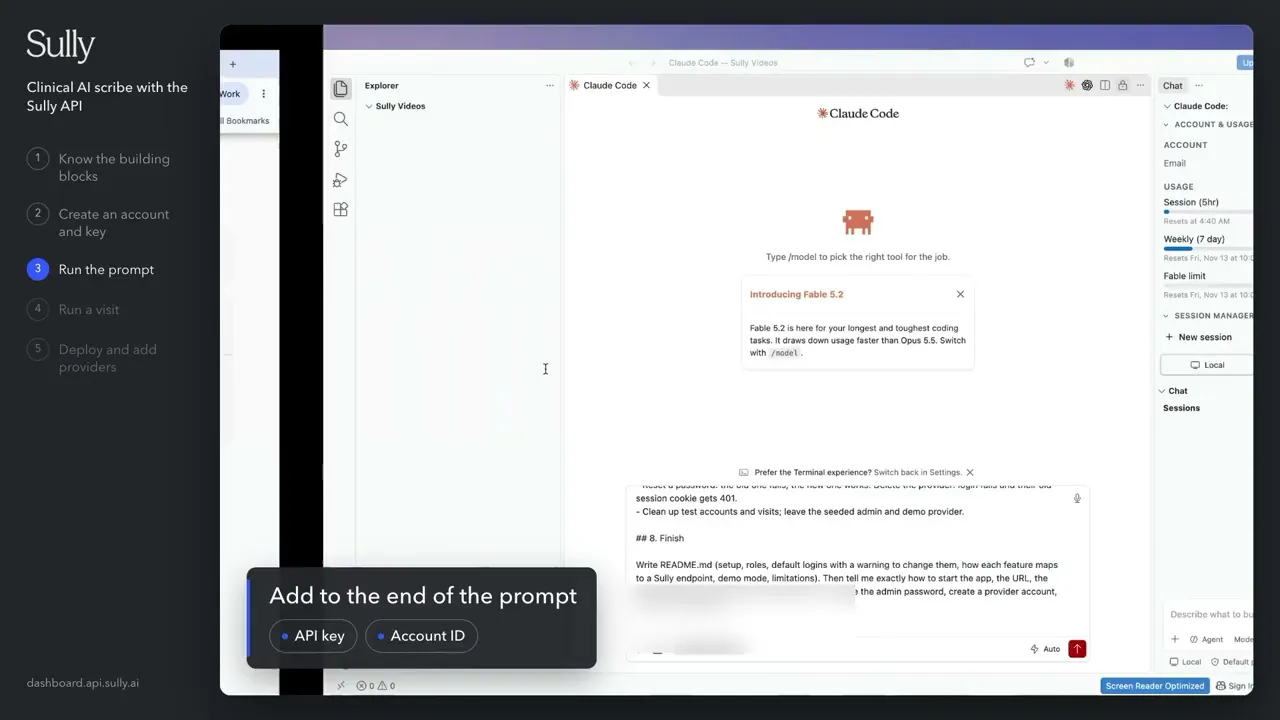
Watch the build
The full build, start to finish, in one prompt.
Cost to run
From Sully’s published API pricing. A clinical note is one Note Generation call at $0.17, so 1,000 notes cost $170.
Item | Price | Per 1,000 |
|---|---|---|
Clinical note (Note Generation) | $0.17 per note | $170 |
Transcription, 15-minute visit | $0.30 per audio hour, about $0.08 | about $75 |
Suggested codes (Sully M1) | $1.50 in, $4.60 out per 1M tokens, about $0.01 | about $9 |
EHR JSON (Text to JSON) | $0.05 per request | $50 |
Full visit, all four steps | about $0.30 | about $304 |
Estimates assume a 15-minute visit and about 3,000 input and 1,000 output tokens for codes. Streaming transcription is $0.39 per audio hour. Prices from docs.sully.ai/pricing.
Before you use real patient data
Sign the BAA yourself during account setup in the dashboard. No sales call needed. Then read what zero retention covers and set your own retention for audio, transcripts and notes. The production checklist at the end of the build prompt covers both.